What Is Olo? A Guide to Ordering, Payments, and the Olo App

Updated · Originally published February 6, 2025.
Olo is restaurant technology for digital ordering, payments, and guest engagement. If you have ordered from a restaurant website, you may have used Olo behind the scenes. For a restaurant operator, the important distinction is between the ordering platform and the payment arrangement attached to it.
This guide explains what Olo means, how Olo Pay fits into the system, where to find the dashboard, and what to review before changing payment providers. Swipesum helps operators evaluate processing costs and integration requirements. Swipesum is separate from Olo; account access, food orders, and Olo product support belong with Olo or the restaurant.
What Is Olo?
Olo, short for “Online Ordering,” helps restaurants connect digital ordering with their operations. Its products cover ordering, payments, and guest engagement. There are three related things a reader may mean by Olo:
- The restaurant platform: technology that helps brands manage their digital business.
- Olo Pay: Olo’s restaurant payment offering.
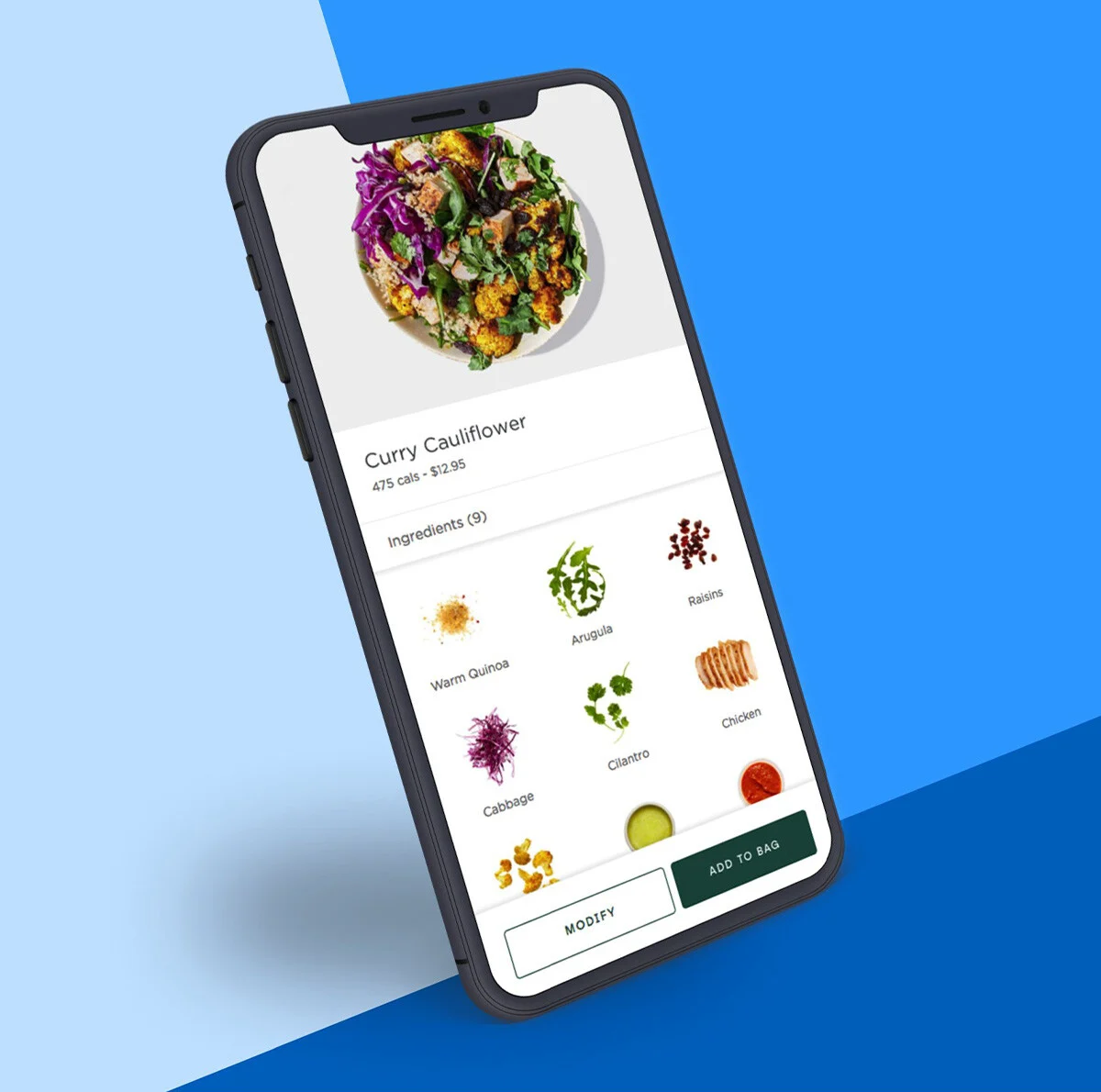
- The Olo App: a consumer app announced October 20, 2026, for ordering delivery and carryout from participating restaurants.
Olo, Olo Pay, the Olo App, and your POS: what is the difference?
| System | Main role | Who uses it? |
|---|---|---|
| Olo Ordering | Connects a restaurant’s digital orders with its operations and POS integrations. | Restaurant operators and their digital teams. |
| Olo Pay | Payment acceptance and related payment operations. | Restaurant finance, operations, and payment teams. |
| Olo App | A consumer destination for delivery and carryout orders. | Restaurant guests. |
| Restaurant POS | The restaurant’s point-of-sale system, which may connect with Olo. | Restaurant staff and managers. |
Olo is not simply another name for your POS. Its ordering platform documentation describes POS integrations, branded ordering experiences, APIs, and dashboard management. Confirm the exact integration rather than assuming two systems replace one another.
Guests looking for an order or refund should contact the restaurant or use Olo’s support resources. Operators evaluating payment costs can upload a processing statement for review.
Why Restaurants Use Olo
Restaurants turn to Olo to connect online ordering with the systems used to run the business. Direct ordering, delivery coordination, payments, and reporting need to work together across locations.
The business case depends on the restaurant. Before comparing systems, identify the channels you need, the data your team relies on, and the integrations already in place. An ordering tool and a payment gateway serve different roles; buying one does not establish compatibility with every provider of the other.
Olo Payment Processing and Why It Matters
Olo Pay supports online and in-store payments, fraud prevention, and consolidated reporting. Using Olo’s ordering platform and using Olo Pay are related decisions, but they should not be treated as interchangeable.
Do not assume that an Olo Pay merchant can replace its processor while leaving everything else unchanged. Confirm the specific product, contract, location setup, and supported integration before pricing a move. A provider being listed as an Olo partner is not proof that every restaurant can use every service it offers.
Use Olo’s current Partner Directory to find candidates by category, such as POS, payment processing, loyalty, or delivery. Then ask both providers to confirm the product, region, version, and channel supported. Directory inclusion alone does not establish pricing or compatibility for your account.
How Payment Processing Works with Olo
At a high level, an online order and its payment follow connected but distinct paths: the ordering system records the purchase, payment systems request authorization, and funds are later settled under the provider’s terms. A payment approval is not the same event as a deposit in the restaurant’s bank account.
Start a review by identifying who provides the ordering software, gateway, merchant services, hardware, and support. Ask which party handles refunds, disputes, reconciliation, and deposits. That map is more useful than assuming a single logo on the checkout tells you the whole arrangement.
Compare the complete cost of the setup: interchange and network charges, provider markup, platform or gateway fees, monthly charges, equipment, and contract obligations. Negotiating provider pricing is different from negotiating card-network interchange schedules.
Olo pricing and fees: what should restaurants check?
The Olo product pages reviewed for this update do not publish a universal software price or Olo Pay processing rate. Request a written proposal for your locations, products, and payment channels.
Olo’s invoice reconciliation guide identifies platform fees, order packages or per-order fees, package overages, and other charges. It also describes a 1% gateway-related fee on Digital Ordering transaction value for customers not using Olo Pay. The guide directs customers to their MSA for brand-specific pricing. Check whether each charge applies to your agreement; do not treat the help article as a universal quote.
A practical cost comparison
Compare a current invoice and processing statement with the proposed arrangement using the same month’s volume and order count:
- Software and location charges.
- Order fees, package allowances, and overages.
- Processing, gateway, and payment-related charges.
- Hardware, support, migration, and termination costs.
Illustrative arithmetic, not an Olo quote: if a 1% fee applies to $80,000 of eligible monthly volume, that line item is $800. A proposed processing saving of $400 would not offset that extra $800 if all other costs stayed equal. Check the complete arrangement before comparing headline rates.
Credit Card Payment with Olo
Olo Pay supports card acceptance online and in-store. Restaurants still need to check the requirements for their own channels, devices, locations, and service model before making a change.
When evaluating how to accept card payments, ask about authorization, capture, refunds, chargebacks, deposit timing, reserves, and reporting. Request the actual funding schedule in writing, including weekends and holidays. Do not interpret “real-time processing” as a promise of instant settlement.
Digital Wallets and Olo
Olo lists Apple Pay and Google Pay support among Olo Pay’s checkout features. Availability should be confirmed for the restaurant’s implementation and channel.
For operators, the practical questions are whether the wallet works in the checkout guests use, how refunds appear, and how the transactions reconcile. Test the complete order and refund flow before rollout. Supporting a wallet does not guarantee a particular authorization rate, fraud outcome, or revenue lift.
Payment Processor Role in Olo
The payment provider and its partners handle parts of the transaction beyond the ordering interface. The exact responsibilities depend on the payment arrangement. Restaurants should know who to contact when an approval fails, a deposit differs from expected sales, or a dispute arrives.
Keep authorization, settlement, and reconciliation separate in the review. Authorization is the card issuer’s response to the payment request; settlement concerns the movement of funds; reconciliation matches transactions and adjustments to the books. Ask for a sample report and trace one sale, refund, and dispute through it before committing to a new setup.
Payment Security and Compliance
Olo describes fraud detection and point-to-point encryption among Olo Pay’s features. A restaurant should still request the documentation applicable to its own implementation rather than relying on a general product description.
Ask which payment data enters your systems, who stores tokens, what devices are supported, how staff permissions work, and which security tasks remain your responsibility. Review PCI compliance requirements with your provider. Tokenization and encryption can reduce exposure, but neither is a blanket guarantee against fraud or a substitute for the restaurant’s own obligations.
Integration and Setup
Before changing a payment setup connected to Olo, document the current systems and obtain written compatibility confirmation from the relevant providers. Include the POS, ordering channels, payment hardware, gateway, reporting tools, and any existing stored-payment arrangements.
- Confirm scope: identify which locations and channels will change and which will stay as they are.
- Check commercial terms: review fees, notice periods, equipment commitments, and any termination or migration costs.
- Plan testing: cover ordering, authorization, cancellation, refunds, reporting, deposits, and disputes.
- Assign support: agree who owns each issue and how to escalate it during launch.
- Validate after launch: reconcile real transactions and deposits before expanding the rollout.
Any proposed migration of saved payment credentials needs separate confirmation. Do not assume tokens can be moved between providers or reused in a different integration.
Olo Dashboard: Features & Benefits
The Olo Ordering Platform Overview describes managing menus, tracking sales, running reports, and setting staff permissions through the Dashboard. The features available to a particular user depend on the organization’s products and access.
For a payment review, ask your team to show how orders, refunds, payment adjustments, and deposits are reconciled. Dashboard totals and bank deposits can refer to different stages of the transaction, so compare matching periods and identify adjustments before treating a difference as a missing payment.
Olo Login & Account Management
Restaurant operators can reach the official Olo Dashboard login from Olo’s website. Use the account and permissions provided by your organization. For access problems, password recovery, or product support, use the official Olo Help Center or your organization’s administrator.
Consumers looking for food orders should use the restaurant’s ordering experience or the Olo App, rather than an operator dashboard. Swipesum cannot reset an Olo password, issue a restaurant refund, or resolve an order.
Olo Stock: An Investor’s Perspective
Olo is no longer a publicly traded company. Thoma Bravo completed its acquisition on September 12, 2025, and Olo’s common stock ceased trading. Older pages describing OLO as an actively traded NYSE stock are outdated.
For restaurant operators, the actionable questions are the current product terms, support arrangements, pricing, and contract commitments. Historical share-price information does not answer those operating questions.
How Swipesum Helps Olo Users Optimize Payments
Swipesum helps restaurant operators understand their current payment arrangement and evaluate practical options. A review starts with actual statements, provider agreements, and integration requirements, rather than a promised percentage saving.
- Statement analysis: distinguish provider markup and recurring charges from interchange and network fees.
- Contract review: identify notice periods, equipment obligations, and costs that affect a change.
- Provider comparison: assess supported options for the restaurant’s specific setup.
- Implementation planning: consider operational disruption, testing, reporting, and ongoing support.
For an Olo user, compatibility is a condition of the recommendation. A lower quoted rate is not an improvement if the proposed arrangement cannot support the restaurant’s ordering and payment workflow. Sometimes the sensible next step is clarifying or renegotiating the existing agreement.
Upload your processing statement for a review, or book a consultation to discuss your setup. Swipesum can evaluate provider options and supply merchant services where appropriate; a particular saving or provider switch is not guaranteed.
Frequently asked questions about Olo
What does Olo stand for?
Olo stands for Online Ordering. The name now refers to a broader restaurant technology company with ordering, payment, and guest engagement products.
Is Olo a delivery service like DoorDash?
Olo provides restaurant technology, while its consumer app lets guests place delivery and carryout orders. A restaurant’s ordering platform, delivery arrangement, and payment setup are separate parts of the customer experience. Check the service and charges shown for your actual order.
Is Olo Pay required to use Olo?
Olo’s invoice guide describes charges for some customers who do not use Olo Pay. That does not establish which alternatives your restaurant can use. Confirm your agreement, supported integrations, and any payment-related platform charges before choosing a provider.
Conclusion
Olo connects restaurant ordering, payments, and guest experiences. To make a sound payment decision, distinguish Olo’s platform, Olo Pay, and the consumer app, then verify the terms and integrations that apply to your restaurant.
If payment costs are the concern, start with the statement and the operating requirements. Talk with Swipesum about a payment review before committing to a change.