%201.svg)


Payments Built for Deskworks Customers
Start a US or Canadian payment application, review processing costs, and get onboarding and ongoing support from the Swipesum team serving Deskworks.
Perform Cost Savings Analysis



A Payments Team for Deskworks
Start a US or Canadian payment application, review processing costs, and get onboarding and ongoing support from the Swipesum team serving Deskworks.
Start With the Right Setup
Complete the dedicated application linked on this page. Swipesum helps with underwriting and account setup, then follows up with go-live instructions.
Understand Your Costs
Review statements, provider options, and account terms with the team serving Deskworks.
Reach Your Dedicated Team
Get onboarding and ongoing support at support@swipesum.com or 844-356-9905.
Deskworks Payments, From Application to Go-Live
Swipesum supports Deskworks payment onboarding, equipment coordination, and ongoing account service. Choose the application for your country or schedule a call to review your current merchant services setup.
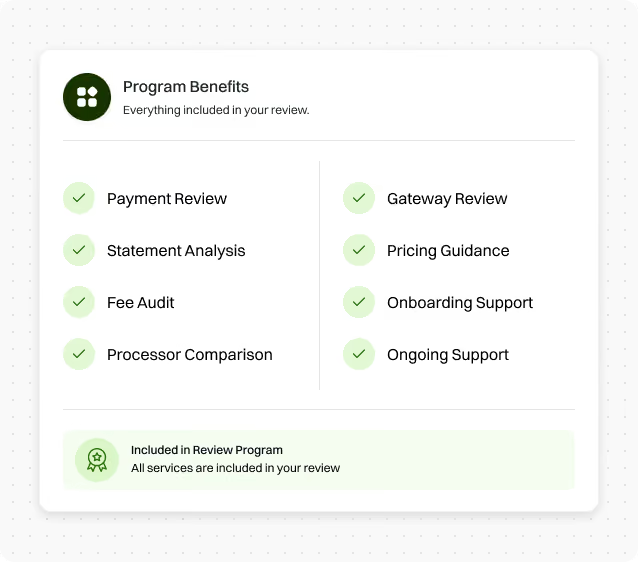
Payment Review
Gateway Review
Statement Analysis
Pricing Recommendations
Fee & Markup Audit
Onboarding Support
Processor Comparison
Ongoing Support
From First Conversation to Ongoing Support
A clear path for Deskworks customers: understand your setup, review recommendations, and get help with implementation.
Submit Your Information
We Review Your Setup
Receive Recommendations
Onboarding & Implementation
Ongoing
Support
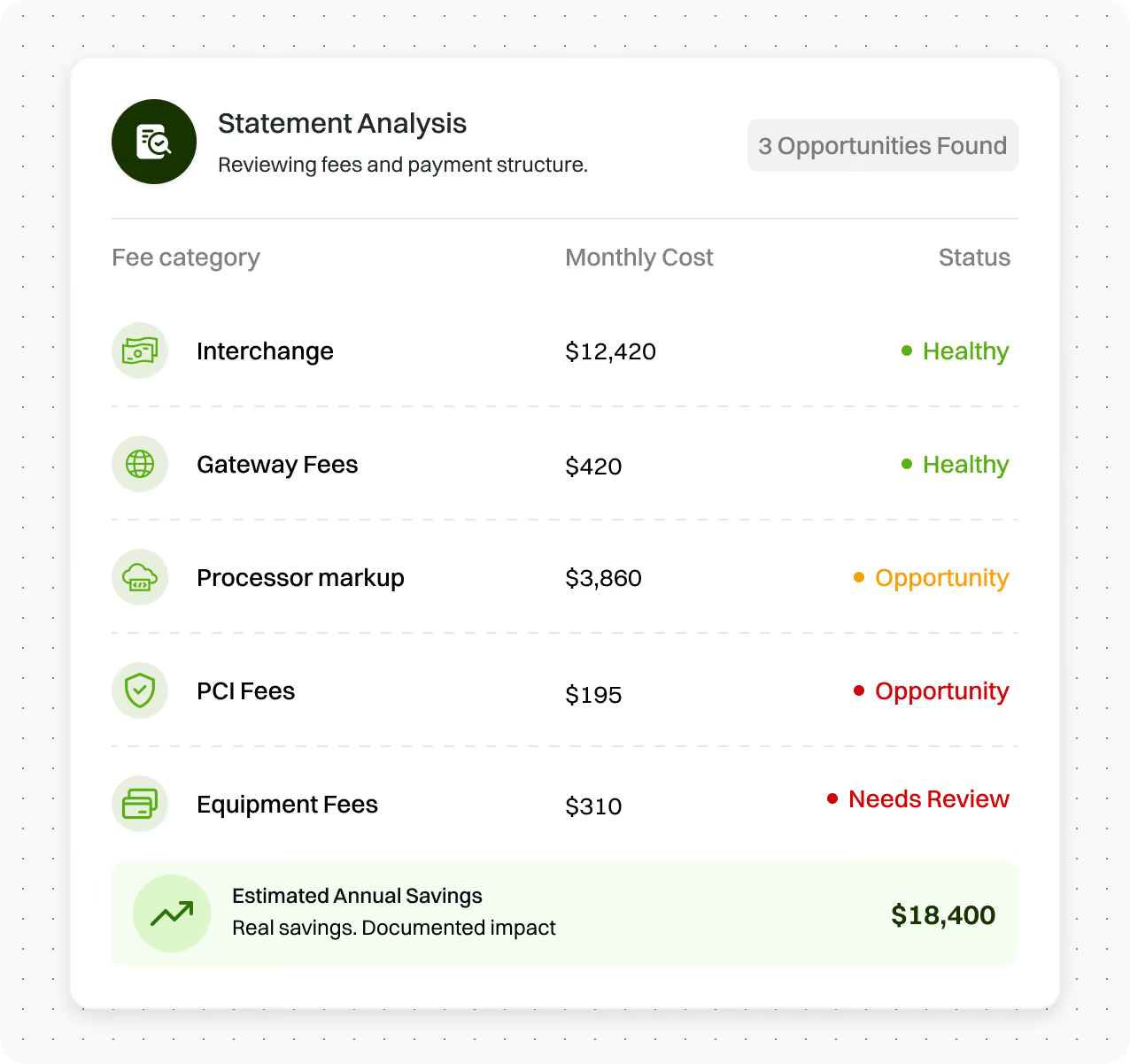
Understand Your Payment Costs Before You Decide
Review the fees, markups, and account configuration on your current merchant statement. Your Deskworks payments team explains the options and next steps for your business, so you can make an informed decision.
Technology Backed by Real Experts
Swipesum combines software, payment expertise, and ongoing support to help businesses manage payments more effectively.

CPO
View payment data, use a virtual terminal, and reach support through the Swipesum CPO portal.

Connect
Bring payments and merchant onboarding into your software with Swipesum Connect.

Merchant Account
Manage accounts, onboarding, and access to payment providers in one place.

Audit
Analyze fees, uncover hidden costs, and continuously optimize your payment performance.

Gateway
Process payments reliably with a modern, scalable gateway built for performance.

DEDICATED SUPPORT
Work with a dedicated payments team for onboarding, issue resolution, and ongoing operational support.
Deskworks Payments FAQs
Complete the dedicated application linked on this page. Swipesum helps with underwriting and account setup, then follows up with go-live instructions.
Swipesum supports Deskworks payment onboarding, equipment coordination, and ongoing account service. Choose the application for your country or schedule a call to review your current merchant services setup.
Yes. A payment review starts with your existing setup and merchant statement. Your team explains fees and compares suitable options before you decide whether to make a change.
The Deskworks program states that eligible customers do not pay separate Swipesum service or consulting fees. Payment processing charges and account terms still apply. Contact support@swipesum.com to confirm eligibility and your account pricing.
Have your company name, contact information, current provider, and a recent processing statement available. Let the team know about your software, equipment, locations, and the outcome you want.
Your team explains recommendations and next steps. If you choose a new setup, Swipesum helps coordinate account onboarding and implementation, then supports payment questions after go-live.
Email support@swipesum.com or call 844-356-9905. Your direct Swipesum contact can help with onboarding and ongoing payment questions.
Talk With Your Deskworks Payments Team
Tell us about your business and what you want to improve. Your direct contact is support@swipesum.com or 844-356-9905.
Your dedicated Deskworks payments team